




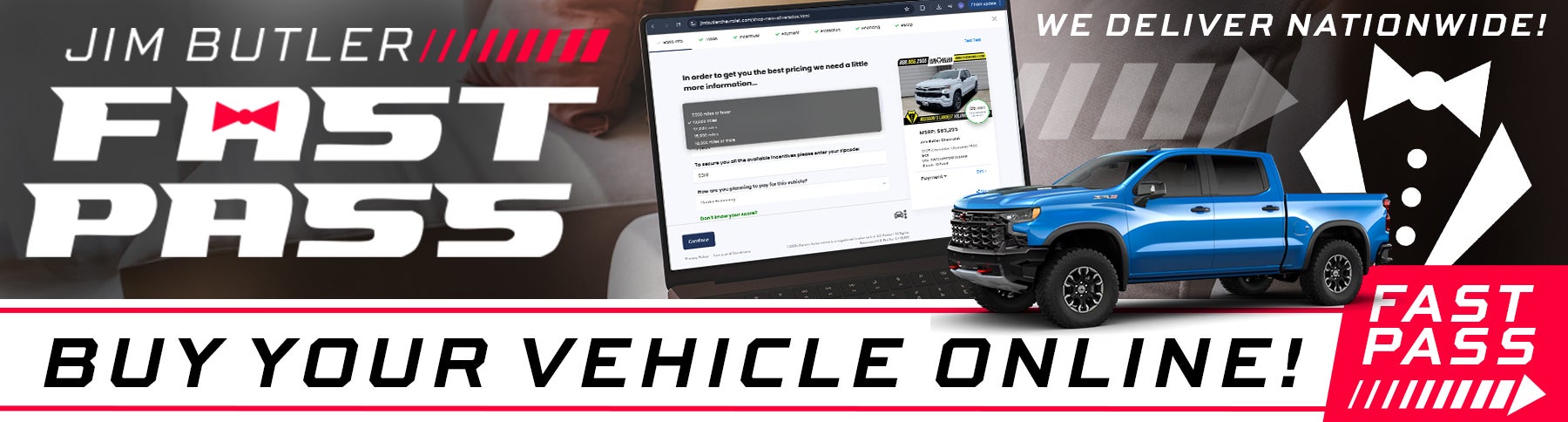
Jim Butler FAST PASS is a comprehensive platform designed to streamline and enhance YOUR automotive car-buying experience. It aims to bridge the gap between online and our in-store processes, allowing customers to complete more of the purchase journey digitally.
Navigating Your Car Purchase with Jim Butler FAST PASS
Welcome to a new era of car buying! The Jim Butler FAST PASS tool empowers you, the customer, to take control of your vehicle purchase journey from the comfort of your home. No more endless paperwork or surprises at the dealership – with Darwin Digital Retail, you can personalize your deal, understand your payments, and even secure financing online, making your visit to the dealership shorter and more efficient.

This tutorial will guide you through the key features and benefits of using this innovative platform.
What is Jim Butler FAST PASS?
Jim Butler FAST PASS is a cutting-edge online platform designed to give you a transparent and convenient way to shop for and configure your next vehicle, calculate payments, explore financing options, and even select F&I (Finance & Insurance) products, all before you step foot in our dealership. It's about empowering you to shop your way.
- Transparency: See real payments, including taxes and fees, accurate OEM incentives, and current rates.
- Convenience: Start, pause, and resume your car buying journey anytime, anywhere.
- Personalization: Tailor your deal to your specific needs, including trade-in valuation, financing terms, and desired F&I products.
- Efficiency: Reduce time spent at the dealership by completing much of the process online.
- Empowerment: Be in the driver's seat of your purchase, making informed decisions with clear information.
Getting Started: Accessing the FAST PASS Tool
-
Find a Vehicle: Start by browsing the dealership's inventory.
- Look for the "FAST PASS" Button: On every vehicle detail pages, you'll find a clear call to action to begin the digital retail process. Click the FAST PASS button to launch our new digital experience.
Step-by-Step Guide to Using the Tool
Here's a general walkthrough:
1. Vehicle Selection & Pricing
-
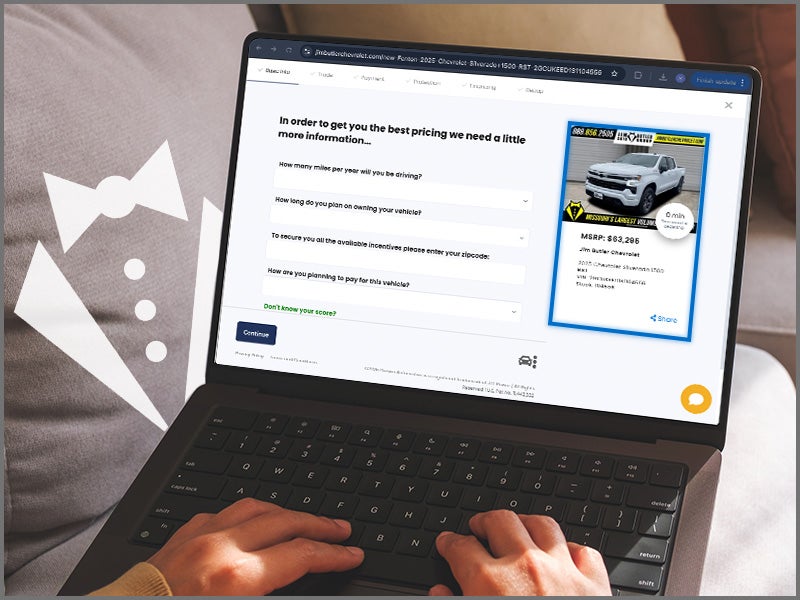
Confirm Your Chosen Vehicle: Double-check the vehicle details including year, make, model, and trim.
-
View Vehicle Details & Standard Pricing: See MSRP and current dealership discounts or promotions.
2. Customize Your Payment
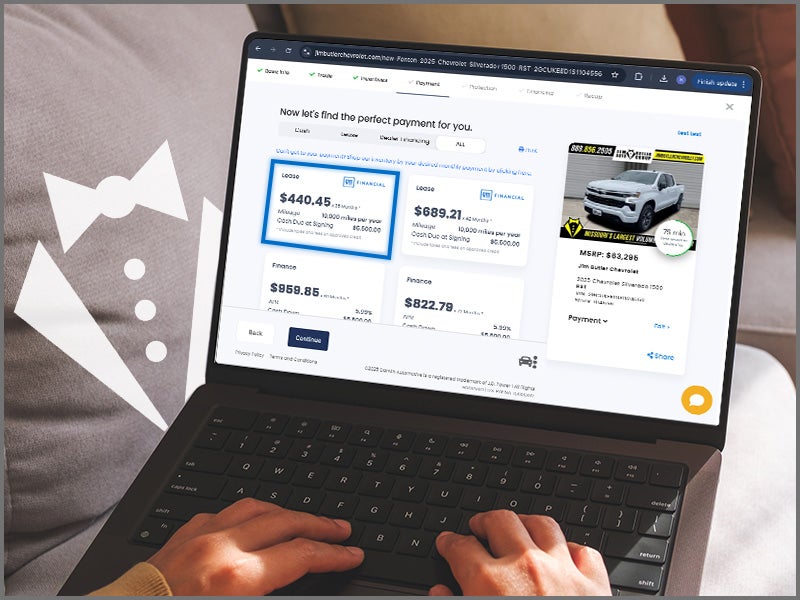
Adjust several parameters to see how they impact your estimated monthly payment:
-
Loan vs. Lease: Choose your preferred financing option.
-
Term Length: Select loan or lease duration (e.g., 60 or 72 months).
-
Down Payment: Enter your planned down payment to see payment adjustments.
-
Credit Score Estimate (Optional): Optionally submit a soft pull for more accurate estimates.
-
Trade-In: Enter your current vehicle's details to receive a valuation estimate, subject to final in-person appraisal.
3. Explore F&I Products
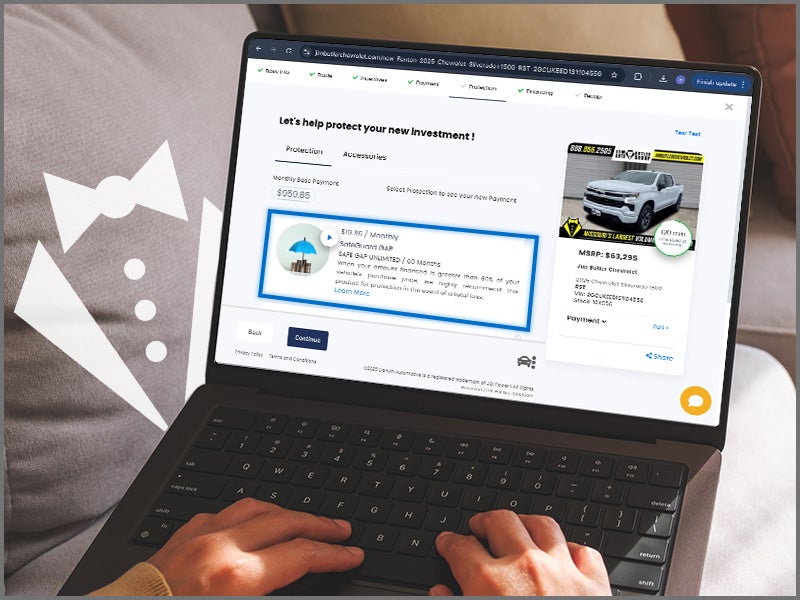
Review optional protection products to build a complete deal:
-
Extended Service Contracts/Warranties
-
GAP Insurance
-
Tire & Wheel Protection
-
Paint & Fabric Protection
-
Vehicle Theft Protection
View benefits and see how each product affects your monthly payment.
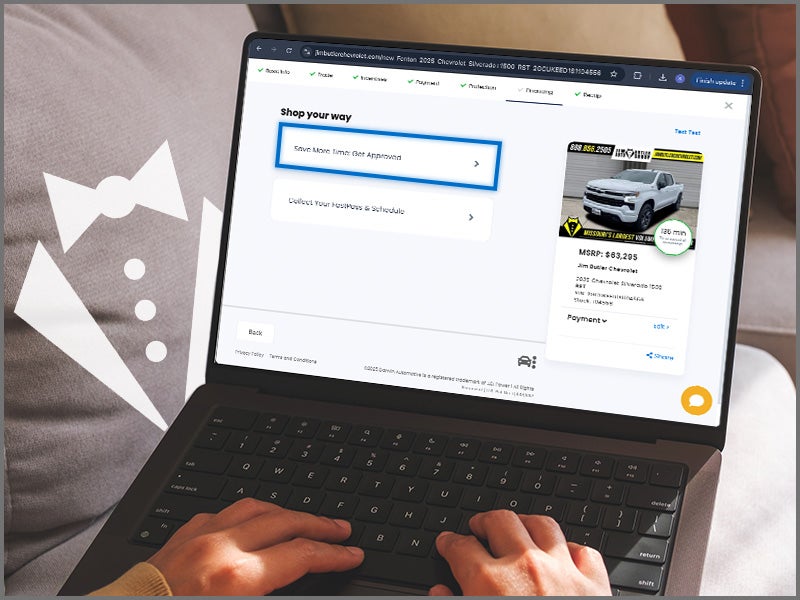
4. Apply for Financing (Optional)
-
Secure Application: Submit a credit application through the encrypted platform.
-
Pre-Approval: Gain a better understanding of your financing options ahead of your visit.
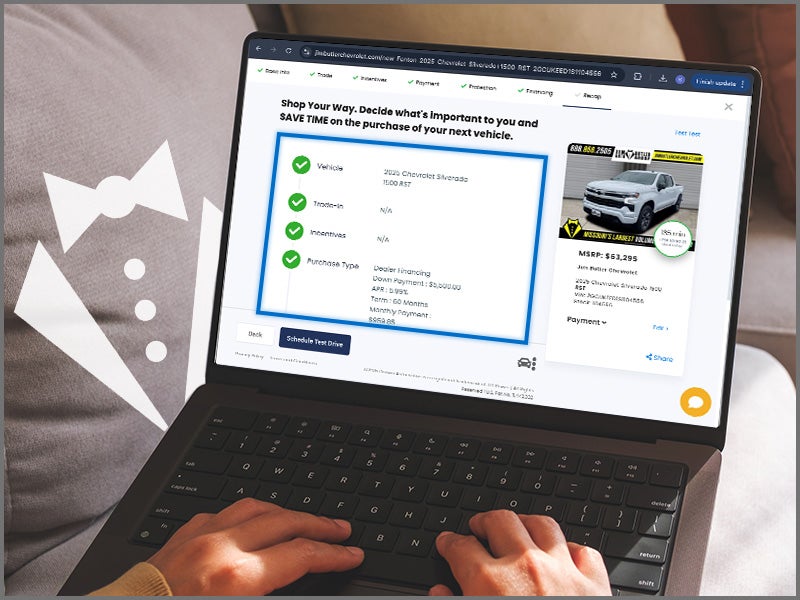
5. Review and Share Your Deal
-
Summary of Your Deal: Review your vehicle, payment, trade-in, and F&I selections.
-
Save or Share:
-
Save your customized deal by creating an account or entering your info.
-
Send your deal to the Jim Butler dealership to accelerate the in-store process.
-
What Happens Next?
Once you've completed your digital FAST PASS:
- Dealership Follow-Up: A Jim Butler representative will reach out to confirm your selections and answer any questions you may have.
- Seamless Transition: When you visit the dealership, your online progress will be readily available to the sales and finance teams, making the in person transaction smoother and faster. They can pick up the deal "mid-stream" and make real-time adjustments if needed.
- Finalizing the purchase:You'll complete any remaining paperwork, sign documents, and take delivery of your new vehicle.
Tips for a Smooth Digital Retail Experience:
- Be Accurate: Provide accurate information, especially for your trade-in and credit application, to ensure the most precise payment estimates.
- Explore All Options: Don't hesitate to play around with different down payments, terms, and F&I products to find the perfect fit for your budget and needs.
- Ask Questions: If anything is unclear, note it down and ask the Jim Butler representative when they contact you.
Jim Butler FAST PASS is designed to make your car buying experience more transparent, convenient, and empowering. Embrace the future of automotive retail and enjoy a more streamlined journey to your new vehicle!
Jim Butler Chevrolet
759 Gravois Bluffs Blvd., Fenton, MO 63026
Contact UsHours
| Monday | 9:00AM - 8:00PM |
| Tuesday | 9:00AM - 6:00PM |
| Wednesday | 9:00AM - 8:00PM |
| Thursday | 9:00AM - 6:00PM |
| Friday | 9:00AM - 8:00PM |
| Saturday | 9:00AM - 6:00PM |
| Sunday | Closed |
| Monday | 7:30AM - 6:00PM |
| Tuesday | 7:30AM - 6:00PM |
| Wednesday | 7:30AM - 6:00PM |
| Thursday | 7:30AM - 6:00PM |
| Friday | 7:30AM - 6:00PM |
| Saturday | Closed |
| Sunday | Closed |
| Monday | 7:30AM - 6:00PM |
| Tuesday | 7:30AM - 6:00PM |
| Wednesday | 7:30AM - 6:00PM |
| Thursday | 7:30AM - 6:00PM |
| Friday | 7:30AM - 6:00PM |
| Saturday | Closed |
| Sunday | Closed |